
Multi-location CRM software: a franchise buyer's guide
How to evaluate multi-location CRM software for a franchise: account structure, permissions, reporting, migration, and the questions to ask before signing.
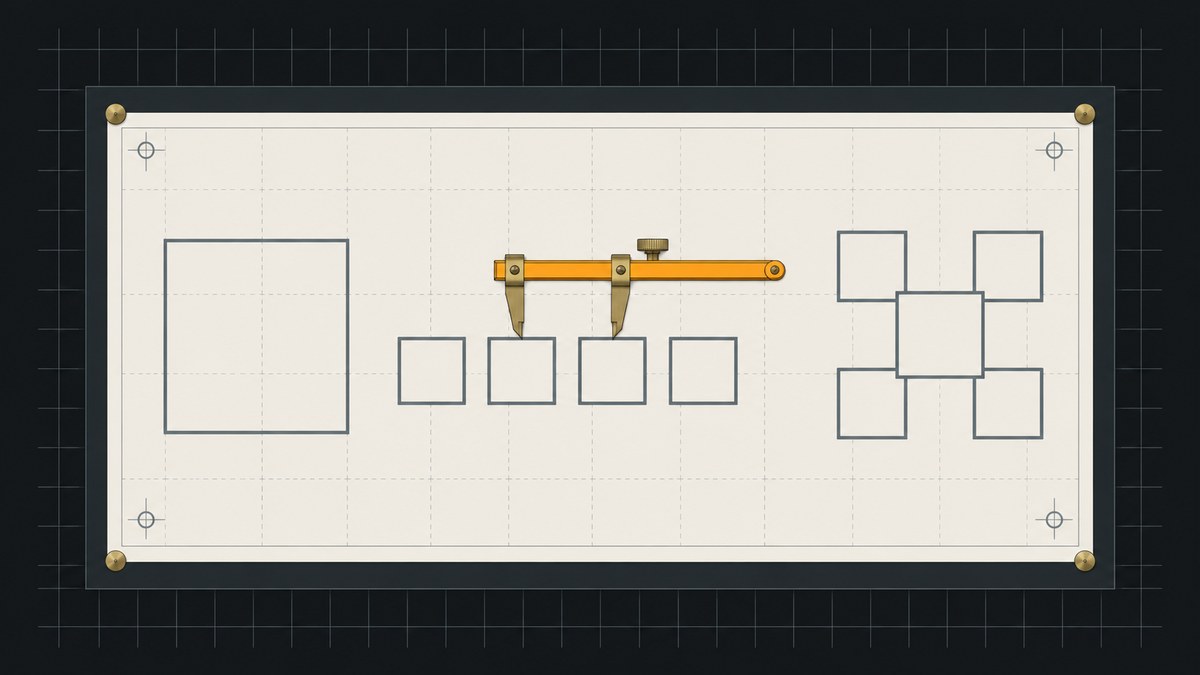
Multi-location CRM software for franchises should give headquarters a repeatable operating standard while allowing each location to work its own leads, appointments, customers, and team. The practical question is not simply whether a CRM has multiple accounts. It is whether the network can launch, govern, report on, and support those accounts without rebuilding the system for every location.
For franchise and multi-location operators, GoHighLevel can support this model when it is designed around a clear HQ-to-location structure. The implementation matters as much as the platform: permissions, templates, reporting definitions, local exceptions, migration rules, and ownership all need to be decided before rollout.
What is multi-location CRM software for franchises?
Multi-location CRM software is a customer relationship management system configured for one parent organization and multiple operating locations. HQ can set shared standards, while each location has a usable workspace for its day-to-day sales, marketing, scheduling, and customer follow-up.
A franchise CRM should typically support:
- Location-level workspaces: Separate contacts, pipelines, calendars, conversations, users, and business settings where appropriate.
- HQ governance: Controlled templates, required fields, approved automations, brand assets, and access policies.
- Network reporting: Comparable reporting across locations using the same lifecycle definitions.
- Local execution: Local teams can respond to leads, manage appointments, and complete follow-up without relying on HQ for routine tasks.
- Scalable rollout: New locations can be launched from an approved baseline rather than built from scratch.
- Client ownership: The franchisor or operating group retains administrative control, data access, and the ability to maintain the system over time.
What to look for when evaluating a franchise CRM
1. A real HQ-to-location account structure
Start with the operating model, not the feature list. Identify what belongs at HQ, what belongs in a location workspace, and what must be visible in both places.
For example, HQ may own the standard pipeline stages, automation logic, reporting definitions, and approved messaging. A location may own its local team members, appointment availability, lead assignments, and local contact records. If these boundaries are not explicit, locations will eventually create inconsistent workarounds.
2. Standardization without blocking local operations
Franchise systems fail when they are either too rigid or too open. A useful CRM distinguishes between non-negotiable standards and permitted local configuration.
Create a simple configuration policy before building:
- Locked at HQ: core pipeline stages, required fields, compliance language, attribution rules, master reporting, and foundational automations.
- Managed locally: staff assignment, calendars, local business hours, approved service areas, and day-to-day conversation handling.
- Requires approval: new pipeline stages, changes to lead-source definitions, outbound campaign changes, and custom automations.
This keeps the system usable for operators while protecting the data and process consistency HQ needs.
3. Permissions that match actual responsibilities
Do not treat user access as an afterthought. Define roles before inviting users: network administrator, regional operator, location owner, location manager, front desk or sales user, and reporting-only user are common starting points.
Each role should have a reason to access a record or setting. In particular, decide whether users can export data, change automations, alter calendars, delete contacts, view other locations, or edit reporting definitions. A multi-location environment becomes difficult to support when every manager has broad administrative access.
4. Reporting definitions that remain comparable
Network reporting is only useful if locations use the same definitions. Before selecting dashboards, document what counts as a new lead, qualified lead, booked appointment, show, sale, lost opportunity, and reactivation.
Then test the path from source to outcome. Can HQ answer these questions without manually reconciling location spreadsheets?
- Which location received the lead?
- What source generated it?
- Was the lead contacted within the agreed workflow?
- Did it book, show, buy, cancel, or go dormant?
- Which stage and user currently own the next action?
If a location can rename stages or skip required fields, the network should expect reporting variance. The remedy is usually operational design and guardrails, not another dashboard.
5. Repeatable location provisioning
A strong multi-location CRM has a documented launch sequence for every new location. That sequence should include workspace creation, business details, phone and messaging setup, users, calendars, forms, pipelines, automations, tracking, integrations, training, testing, and go-live approval.
Build a baseline once, then use a controlled template or snapshot process to create new location environments. Still, treat every rollout as a configuration review. A copied setup may need local hours, service offerings, ownership assignments, compliance details, and routing rules adjusted before launch.
How GoHighLevel fits a multi-location franchise model
GoHighLevel can be configured as an HQ-managed network CRM with a central administrative layer and separate location workspaces. The opportunity is to create an operating system that is consistent across the network rather than a collection of unrelated local accounts.
The key design decision is what HQ deploys centrally and what locations can manage after launch. An effective GoHighLevel implementation for franchises usually includes a defined account architecture, a reusable location baseline, controlled user roles, standardized pipelines, common reporting fields, tested routing logic, and documentation for support and change requests.
It also needs a plan for exceptions. A location with different operating hours or appointment types may require configuration changes. That does not mean the core process should be forked. Handle exceptions through documented, approved options wherever possible, and reserve custom builds for true operational differences.
Questions to ask before implementation or migration
Whether you are replacing spreadsheets, consolidating separate tools, or rescuing an existing GoHighLevel build, get clear answers to these questions first:
- Who owns the CRM account, administrative access, domains, phone numbers, integrations, and data?
- What is the standard customer lifecycle for every location?
- Which fields are required for reporting and lead routing?
- What existing data should move, what should be archived, and how will duplicates be handled?
- Which automations are business-critical, and who approves changes to them?
- How will a new location be provisioned and tested?
- What training does HQ provide, and what support path do locations use after launch?
- Which local differences are permitted without changing the network standard?
A migration is a good time to remove unused fields, duplicate pipelines, inactive automations, and unclear ownership. Moving everything unchanged often transfers the same operational problems into a new system.
A practical rollout plan
Phase 1: Map the current operation
Inventory lead sources, contact records, calendars, phone and messaging workflows, pipeline stages, automations, reporting needs, and integrations. Identify where locations currently follow different processes and distinguish intentional variation from accumulated inconsistency.
Phase 2: Define the network standard
Document the common lifecycle, required fields, user roles, permissions, naming conventions, routing rules, reporting definitions, and change-control process. This is the operating design that the CRM should enforce.
Phase 3: Build and test a pilot location
Use one representative location to validate the baseline. Test lead capture, assignment, appointment booking, reminders, conversations, opportunity movement, reporting, user access, and handoffs. Have actual location users test the workflow, not just system administrators.
Phase 4: Roll out in controlled waves
Launch a manageable group of locations, review adoption and data quality, address repeatable issues in the baseline, and then continue. Avoid allowing each early location to request a separate version of the system unless the difference is operationally necessary.
Phase 5: Govern after go-live
Set a regular cadence for reviewing reporting quality, user access, workflow failures, location requests, and template changes. A franchise CRM is not finished at launch; it needs an owner, a support process, and a clear method for making network-wide updates.
FAQ: multi-location CRM software for franchises
Can each franchise location have its own contacts and users?
Yes. A well-designed multi-location setup separates daily location work while allowing HQ to apply shared standards and review network-level reporting. The exact visibility model should be based on your data, privacy, and operating requirements.
Should HQ control all automations?
HQ should control the automations that affect network standards, compliance, reporting, lead handling, and shared brand communications. Locations may need limited control over approved local workflows, but unrestricted automation editing can create duplicate messages, conflicting assignments, and inconsistent data.
What makes a CRM implementation difficult for franchises?
The difficult parts are usually governance and rollout, not creating accounts. Common issues include undefined ownership, inconsistent lifecycle stages, weak permissions, untested routing, local exceptions without a policy, and reporting built before the underlying data is standardized.
Can an existing GoHighLevel build be cleaned up?
Yes, but begin with an audit rather than immediately adding more workflows. Review account structure, pipelines, custom fields, automations, permissions, integrations, messaging configuration, data quality, and reporting. Then decide what can be standardized, rebuilt, migrated, or retired.
Choose a system you can operate after launch
The best multi-location CRM software for franchises is not the one with the longest feature list. It is the one your HQ team can govern and your locations can use consistently. Prioritize a clear account structure, repeatable provisioning, role-based access, common definitions, and documented ownership.
UnitAlloy builds GoHighLevel systems for franchise and multi-location operators with an HQ-first structure and client ownership. If you are planning a rollout, migration, or cleanup of an existing network, book a working session to review the operating model before more complexity gets added.
Want this architecture on your network?
Book a 30-minute discovery call about your locations and current GoHighLevel setup.
Keep reading
Rolling out a CRM across 10+ locations
A rollout sequence for 10+ locations: architecture, carrier lead time, pilot, waves of three to five, migration scope, and change control.
Build the rollout in-house, or hire a partner?
In-house rollout or an implementation partner? An honest split of when each works, what the work includes, and what you should own at handover.
How to vet a franchise CRM implementation partner
How to vet a franchise CRM implementation partner: account design, ownership terms, migration discipline, reporting, handover, and the red flags.